

The Cloud Transition
The Cloud may not be in-your-face. But it is pervasive, and gradually taking over many aspects of our traditional IT systems. Companies are not yet making wholesale transitions from existing data-centres and on-premise assets to Cloud. However, when infrastructure reviews occur, whether to upgrade or add new resources, the Cloud beckons. Questions about total cost of ownership (TCO), scalability, time-to-market, etc will influence decision makers. For each one of these, the Cloud offers a compelling alternative. It is likely that in the next two decades, only a few companies will still maintain their infrastructure on premise.
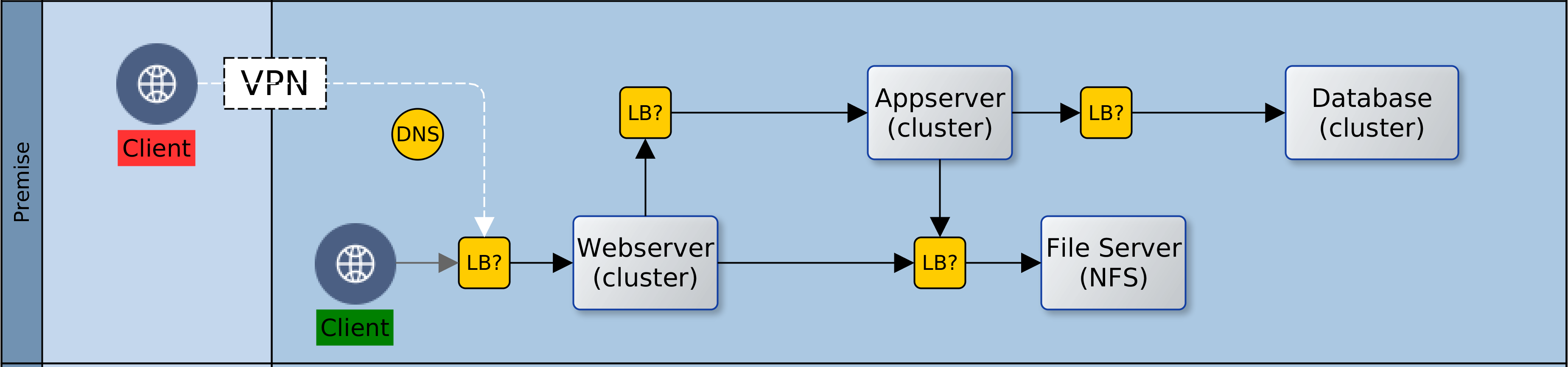
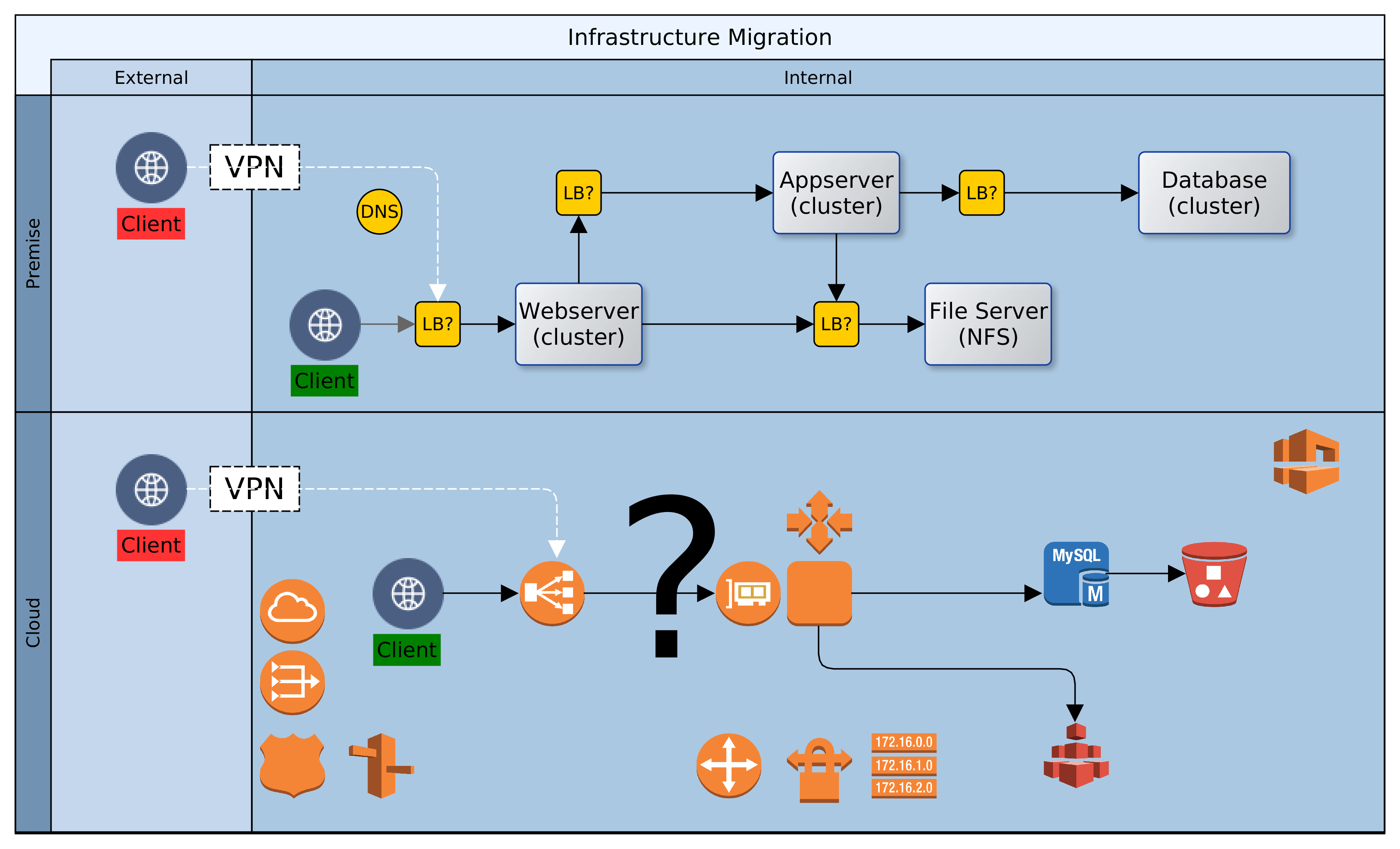
Let us assume then that ACME plc has made a decision. Business has been persuaded, either by hype or fundamentals, that the Cloud is the strategic target. Architectural leadership has been mobilised and a decision taken to draw up a roadmap for Cloud adoption. What next? In this article, we look at four primary considerations that architects must carefully examine when migrating to the Cloud. These are: sizing, failover, scaling and access. Everything else builds on the foundation that is synthesised from these four dimensions.
Sizing: What Specification of Infrastructure Should be Provisioned
Statistics are invaluable. Node sizing should be empathetic to existing use profile. It may be okay to guess at first, but it saves so much time to know in advance. For each Cloud instance, the node(s) provisioned should be selected to meet latency and throughput required to support 120% of anticipated production load. The sizing could be either singular or plural. Singular, as in one node with enough capacity to bear all load; or plural, i.e. a number of nodes that can, between them, satisfy demand. But the baseline should exceed the present need.
Resizing in the Cloud may be quick and easy, but the decision making might not be so. If in doubt, over-provision. It is easy to downsize later, and the organisation avoids the risk of loss of business due to performance or availability problems. Default sizing is simple, i.e. geography localised and singular. But there could be exceptional scenarios where geographic distribution must be combined with plural sizing. More about that later.
Failover: How is System Failure Mitigated
Given proper sizing, as above, the next dimension to consider is failure and recovery. If or when a properly sized machine fails; what happens next? Let’s take the simple approach first and we will revisit this later. There should be a distribution of node(s) across Cloud locations, so that the failure of one node does not result in service unavailability. Service recovery should occur in a different Cloud location. This reduces the likelihood of contagion from the original failure location while maintaining service continuity. An interesting aspect of failure management is implicit resilience, i.e. what measure of interuption can our infrastructure handle?
The complement of the nodes that provide a service across Cloud location(s) is a resource group. The group resilience is the count of simultaneous failures that can be managed while maintaining SLAs. The higher the count, the larger the number of nodes and Cloud locations involved. Resiliency has a price tag though. More machines (virtual) will multiply cost and increase the percentage of idle/redundant resources in the Cloud platform.
Scaling: How are Additional Resources Provisioned
As resource demand grows organically, or due to unexpected spikes, infrastructure should respond, automagically! Traditionally, scaling was a bureaucractic and technical journey. With Cloud, scaling is merely a change of configuration. Where singular sizing has been used, another node of the same size could be added. This is horizontal scaling. Adding more nodes to singular sized nodes would multiply capacity. It is linear, but there is no guarantee of commensurate increase in demand or resource usage. There is an alternative design that is more efficient: programmatic vertical scaling. A simple algorithm can be applied to automatically scale resources; up or down, by a fraction rather than a multiple.
Cloud platforms record a raft of events about the resources deployed. Customers can tap in to these events to scale in response to demand. On AWS, CloudWatch alarms can trigger a Lambda function, which in turn effects a rolling upgrade on EC2 nodes; upscaling node size before autoscaling. By leveraging statistics for baseline sizing and monitoring demand, we can guarantee day zero availability and decent response in infrastructure provisioning. Increasing capacity as demand grows and shrinking it if or when spikes even out.
Access: How do Clients Connect to Cloud Services
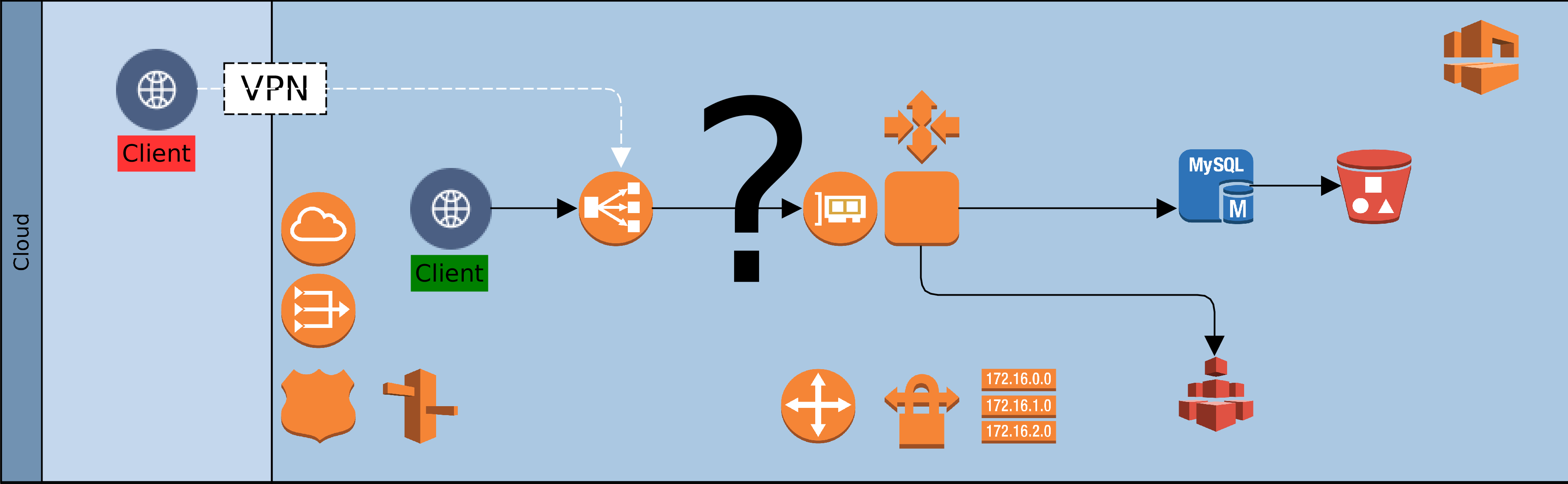
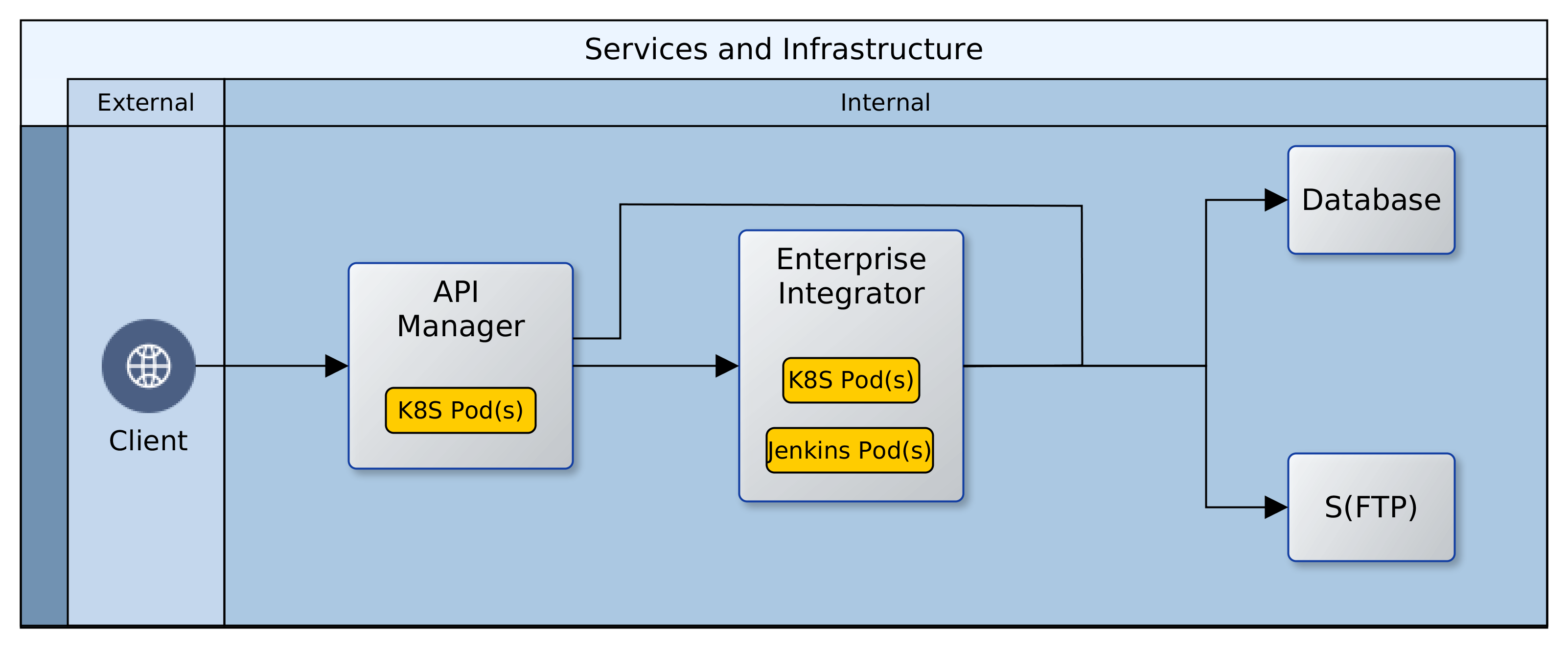
The fourth dimension is access. As on-premise, so also with Cloud. There is no value in having resources that are locked away from everyone and everything. Our clients need access to our Cloud based services, so also partners involved in our service chain. Unless we are migrating all at once, it is likely that we will also need access to some on-premise infrastructure. Our design must provide the access paths and levels, as well as the constraints that keep authorised clients within band and everyone else out. To achieve this we would use such facilities as the Virtual Private Network (VPN), the load balancer, firewalls and others. Beyond the basics of who’s in and who’s out though, there is a service that we must provide to clients and partners.
The key here is to be simple and unobtrusive; placing minimal burdens on clients, partners and our applications/services.
By default we would use load balancers to decouple clients from service providers. Cloud load-balancers spread requests among available service providers. They are not geography specific and simplify access and security for clients and service provider. Our Cloud landscape is elegant and uncomplicated, with singular entry points for each service. One consideration could however force radical change to this default: Geographic Affinity (GA). Geographic affinity is a requirement to pin clients to a specific physical/geographical service provider. It could be zonal or regional. GA is often driven by regulatory, localisation, performance or security concerns.
But some GA drivers can be conflicting. For example, performance (latency sensitive applications) might be a problem where localisation (regional) is required. Invariably, GA tilts our architecture towards plurality of nodes and complications in managing performance and synchronisation of state. Architects must balance, sometimes conflicting, needs to avoid creating virtual silos in the Cloud.
The Availability Index
So far we have been working forwards from an existing status quo to a target architecture. We have also adopted an exclusively technical perspective. What would be better is to take a business perspective. To approach our context top down. We should ask: what infrastructure is needed to support our business vision, now and into the near future? What level of availability is enough to provide service that exceeds client needs. In asking these questions, we encounter a new concept: “the Granularity of Perception”. This can be described as the number of microseconds, milliseconds, seconds, minutes, or more that impacts our service(s), as perceived by clients. Simply put: how slowly can we blink before our clients start to notice that our eyes have moved. As this number (granularity) increases, the required level of availability decreases. The table below provides a rough guide, with descriptions.
| Availability Index | Description | |
|---|---|---|
| 1 | Cluster enabled, auto recovery, no fail 24×7, latency intolerant, high-frequency, geography affinity | |
| 3 | Cluster enabled, auto recovery, no fail 24×7, latency intolerant, medium frequency | |
| 5 | Cluster enabled, auto failover, business hours, latency tolerant, low frequency | |
| 7 | Non clustered, manual failover, business hours, latency tolerant, low frequency |
The goal of architects should be to design a Cloud platform that delivers a granularity that is finer than the perception of clients. Using the table above as a guide, architects should play out scenarios with the service portfolio against each index. Starting with the least to the highest. Once the required availability index is determined, it should be relatively easy to identify the dimensions to support it.
Conclusion
As organisations embark on the journey of digital transformation, one early change is often Cloud adoption. This is because the Cloud provides a catalysing medium in which many solutions are easier and quicker to provision. In moving from on-premise/data-centre resources to the Cloud, architects must resist the temptation to simply lift-and-shift. Rather, the digital transformation journey should re-examine the fitness-for-purpose of existing solutions, platforms and infrastructure. There is a famous quote by Jack Welch, former CEO of General Electric. He said, “If the rate of change on the outside exceeds the rate of change on the inside, then the end is near.”. In a rapidly evolving globalised economy, business agility is becoming a precondition for survival.
The availability index is a simple, logical, technology-agnostic technique for conceptual reasoning about a Cloud landscape. Determination of the availability index helps to reveal shared profiles for similar subsystems. The profiles are logical and help estimate the resources required to support a genre of subsystem. Each logical profile can then be mapped to specific Cloud infrastructure and captured as customisable templates. The logical profiles provide architects with a starting point for solution designs. The infrastructure templates serve as a baseline for DevOps teams. Each artefact is likely to go through a number of evolutions. However, it is vital that both views are kept in sync at all times.
Organisations that leverage this approach will see a marked improvement in the consistency of infrastructure designs. Other benefits include faster turnaround of solutions, and systems that balance technical capability with business needs and aspirations. Architecture teams that leverage the availability index position their organisations for superior agility and competitiveness in the global economy.
—
Oyewole, Olanrewaju J (Mr.)
Internet Technologies Ltd.
lanre@net-technologies.com
www.net-technologies.com
![[Hybrid] Cloud Infrastructure](https://blog.net-technologies.com/wp-content/uploads/2017/12/ExeterUni_CloudInfrastructure.03.png)
![[Hybrid] Cloud Infrastructure](http://blog.net-technologies.com/wp-content/uploads/2017/12/ExeterUni_CloudInfrastructure.03.png)